















Buy now
Complete your purchase on Payhip. See price and payment options there.
Description
Handle coordinate every step of a new employee’s onboarding, from preparation and access to training, equipment and key milestones in a local WebApp designed to bring the complete workflow together, replace scattered spreadsheets and keep every record ready for review.
MAIN FEATURES
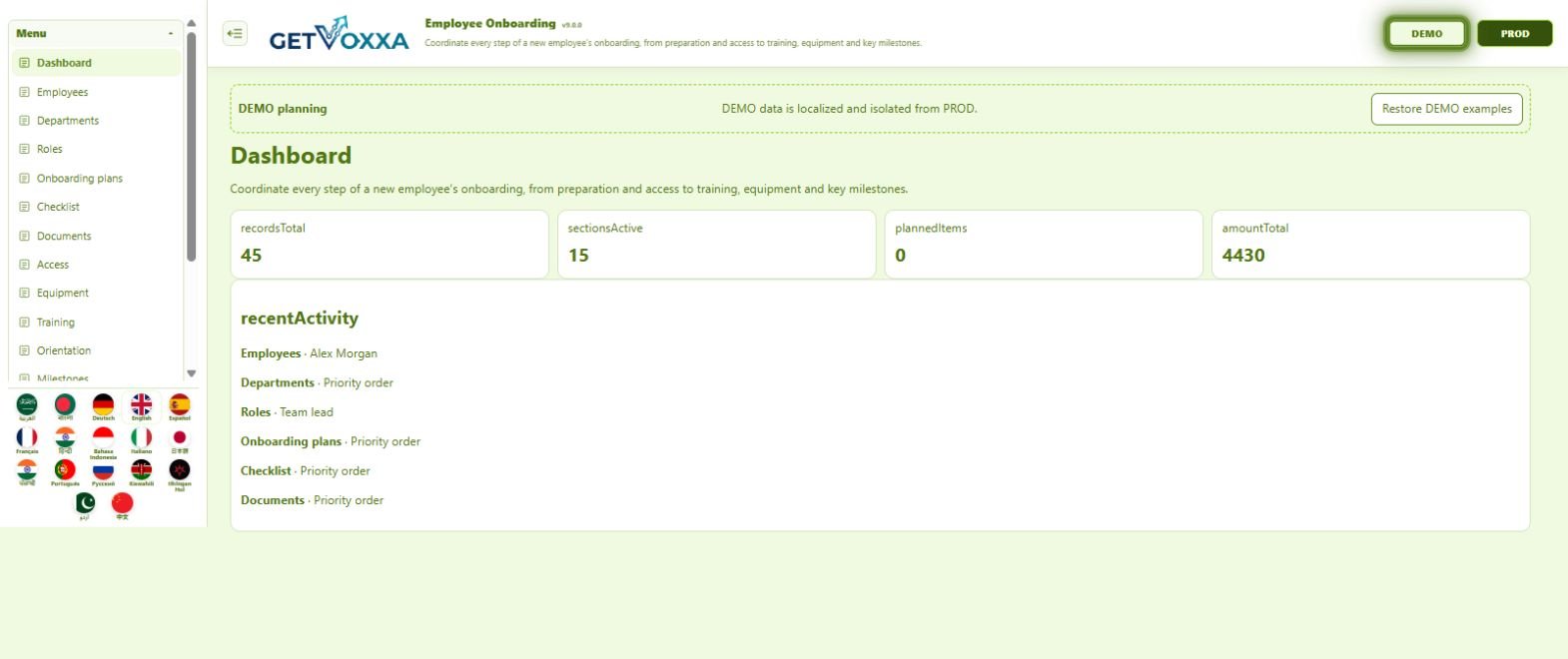
- Dashboard: review indicators, activity and upcoming points requiring attention.
- Employees: track and maintain Full name, Email, Phone, Department, Role and Manager.
- Departments: track and maintain Name, Owner, Location, Status and Notes.
- Roles: track and maintain Name, Department, Manager, Probation days, Status and Notes.
- Onboarding plans: track and maintain Employee, Plan name, Owner, Start date, Target date and Status.
- Checklist: turn pending work into verifiable actions with an owner and status.
- Documents: track and maintain Employee, Document type, Reference, Date, Status and Notes.
- Access: track and maintain Employee, System, Access level, Owner, Due date and Status.
- Equipment: track and maintain Employee, Item, Asset reference, Owner, Due date and Status.
- Training: track and maintain Employee, Course, Provider, Due date, Status and Notes.
- Orientation: track and maintain Employee, Session, Facilitator, Date, Status and Notes.
- Milestones: mark key deliveries, dates and completion status.
- Key contacts: track and maintain Employee, Contact name, Relationship, Email, Phone and Notes.
- Tasks: assign owners, dates and progress statuses.
- Rules: track and maintain Name, Rule type, Value, Status and Notes.
- Insights: centralise the information, follow-up and decisions for this stage.
- Create, edit, search and delete records from the same interface.
- Configurable visible fields and readable cards with no horizontal scrolling.
- Fifteen colour palettes in light and dark modes, independent between DEMO and PROD.
- Integrated Getting Started guide, settings, FAQs and backups.
UPDATED LOCAL ARCHITECTURE
- This edition is delivered as one self-contained HTML file.
- It no longer depends on a server, account, username, password, licence, activation, product key or email code.
- Open it directly in a modern browser and keep using its features without an Internet connection.
- It does not automatically transmit or synchronise data with external services.
DEMO TO LEARN, PROD TO WORK
DEMO includes localised practice records for exploring the WebApp's real workflow. PROD starts empty for your own information. Records, settings, appearance, visible fields and backups remain separate between both environments.
17 LANGUAGES
Available in Arabic, Bengali, German, English, Spanish, French, Hindi, Indonesian, Italian, Japanese, Punjabi, Portuguese, Russian, Swahili, Klingon, Urdu and Chinese.
DATA AND BACKUPS
Information is stored locally through IndexedDB in the browser. Moving to another computer, browser or profile does not transfer it, and clearing browser data may delete it. Create regular backups and store them safely.
REQUIREMENTS
- Desktop or laptop computer with a modern browser.
- JavaScript and IndexedDB enabled.
- Regular backups to protect locally stored information.
Employee Onboarding turns coordinate every step of a new employee’s onboarding, from preparation and access to training, equipment and key milestones into a visual, organised and traceable process that remains under your control.